Buy me a coffee (opens new window) DE · Deutsch

v1.3.0 · „Munterer Marder“ · MIT

The CRM that belongs to you.

Contacts, deals, time, calendar and e-invoices in one calm, fast app. Free and open source, running on your own computer. No account, no subscription, no cloud you have to trust. Your data stays in one file on your disk.

macOS · Windows · Linux · free

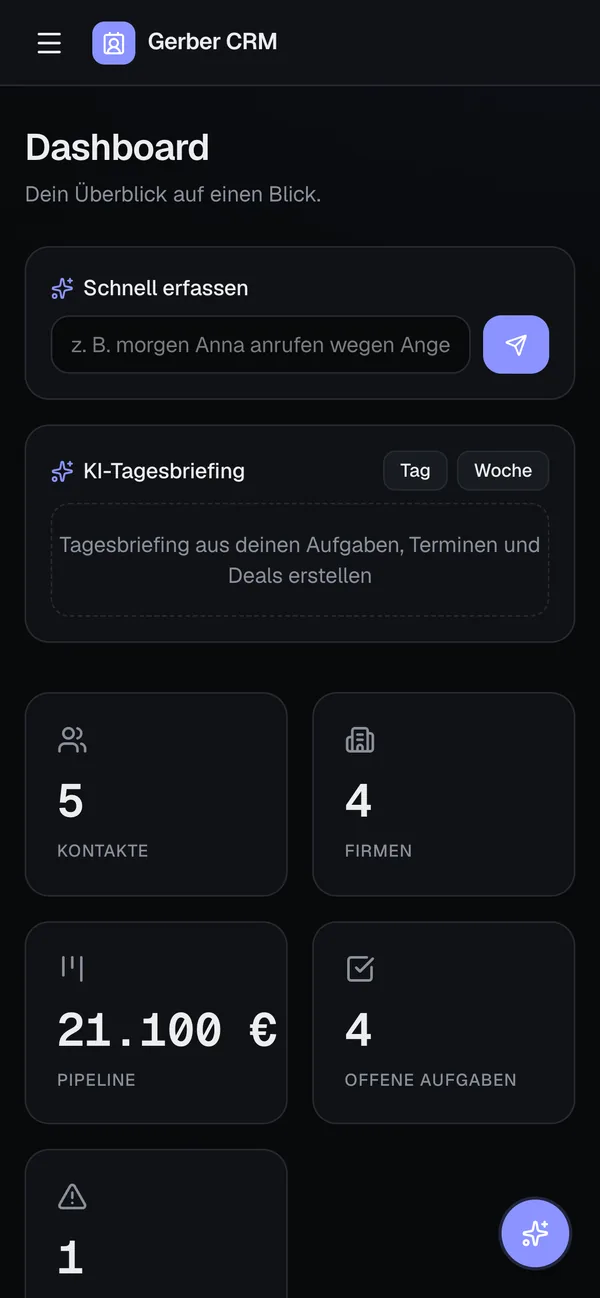
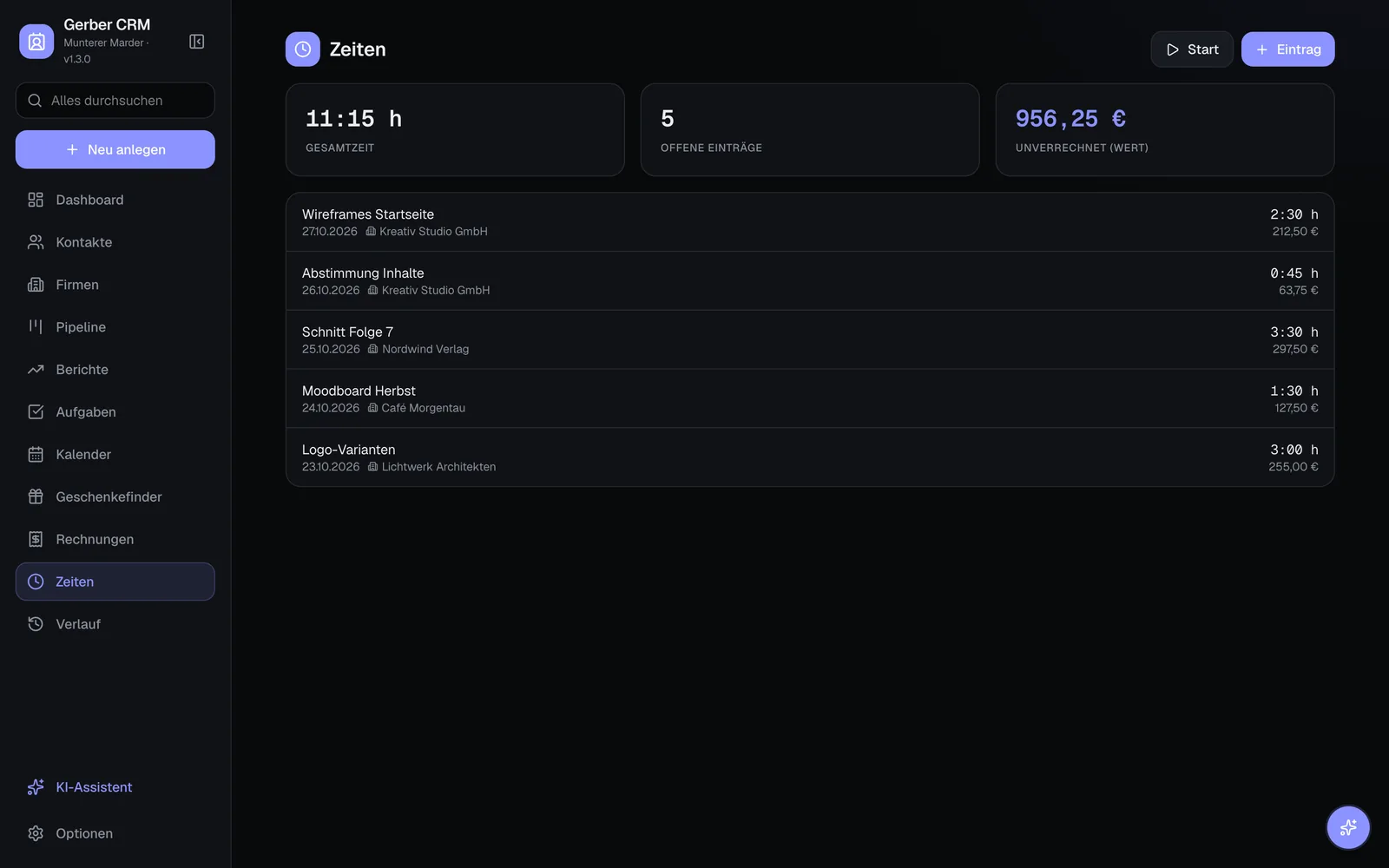
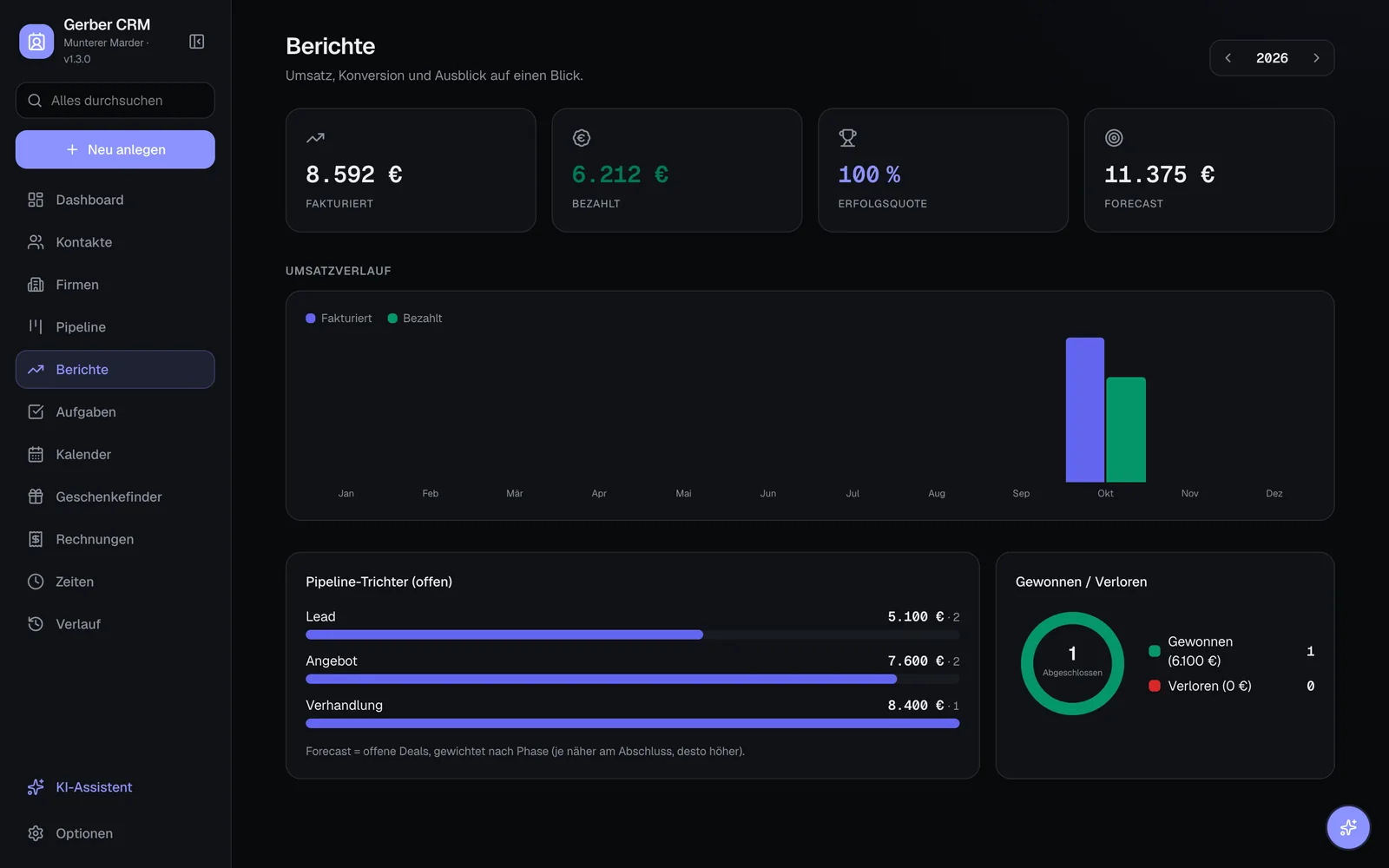
Pipeline board with deals in the stages lead, quote, negotiation and won (demo data) Gerber CRM dashboard with key figures, task chart and pipeline by stage (demo data) Dashboard on a phone (demo data)

Screenshots with fictional demo data.

At a glance

Gerber CRM is a free, open-source CRM by Dirk Gerber (Gerber.Media) for founders, freelancers and small teams. It manages contacts and companies, a deal pipeline, tasks, time tracking and a calendar, and writes invoices as e-invoices to EN 16931 (XRechnung and ZUGFeRD). It runs locally on macOS, Windows and Linux with Python 3.9 or newer and keeps all data in a local SQLite database; on a server it runs with Docker and login. Licence: MIT. Current version: 1.3.0.

Price
0 €, MIT licence
Runs on
macOS 11+, Windows 10/11, Linux
Data
SQLite, on your disk
Languages
German, English
Version
1.3.0 „Munterer Marder“

From first hello to paid invoice

Built for people who do everything themselves: one place for the whole way, without five tools and four subscriptions.

  1. Contact

    People and companies, linked. Tags, birthdays, own fields, a timeline of notes, calls and meetings.

  2. Deal

    Kanban board from lead to won, drag and drop, value per stage, weighted forecast.

  3. Quote

    Write a quote, mark it accepted, convert it to an invoice with one click.

  4. E-invoice

    PDF, XRechnung (XML) or ZUGFeRD (PDF with embedded XML) to EN 16931. Small-business rule (§ 19 UStG) included.

  5. Receipts

    Income-surplus accounts (EÜR): photograph a receipt, text recognition and optional AI fill in the fields.

  6. Reports

    Revenue per month, invoiced versus paid, win rate and pipeline funnel.

Invoices are generated to EN 16931; for a certified acceptance, check them with the official validator (KoSIT/Mustang). Gerber CRM is not tax advice.

A look inside

Everything a small business needs

  • Contacts & companies

    Linked people and companies, avatars, branches, saved views and tag filters.

  • Pipeline

    Kanban with configurable stages, stale-deal reminders, forecast.

  • Time tracking

    Global timer with pause and stop, hourly rates, billable time into invoices.

  • Calendar & ICS

    Subscribe to Google, Apple or Microsoft calendars, export your own feed, holidays per region.

  • Booking page

    A public page where clients book free slots themselves, without logging in.

  • History & restore

    Every change is saved as a snapshot – even deleted records come back.

  • Import, export, backup

    CSV and vCard in and out, a full ZIP backup, AI-assisted import from other CRMs.

  • Accessibility mode

    Large type, maximum contrast, no animation, keyboard focus – technically to WCAG 2.1 AA.

  • Command palette

    Ctrl/Cmd + K jumps anywhere and creates anything.

  • German & English

    The whole interface in both languages, switchable at any time.

AI if you want it. Off if you don't.

The assistant summarises contacts, helps with tasks, fills company profiles from Wikipedia and websites and reads receipts. You choose the provider and bring your own key – or run a model locally with Ollama, so nothing leaves your computer. One switch turns all AI off; then the CRM sends no AI requests at all.

  • OpenAI
  • Anthropic
  • Google Gemini
  • Ollama (local)
  • LM Studio
  • Groq
  • Mistral
  • OpenRouter

Your data lives with you

Everything sits in one SQLite database plus a folder for pictures and receipts – separate from the program, so updates never touch it. Back it up by copying the folder.

macOS~/Library/Application Support/Gerber CRM
Windows%APPDATA%\Gerber CRM
Linux~/.local/share/gerber-crm

For the team: on your own server

With Docker the CRM runs on a VM or NAS; the login is switched on there (CRM_AUTH=1). Users with roles, two-factor login (TOTP), Active Directory via LDAP or Microsoft Entra ID via single sign-on. Put it behind HTTPS.

Install

Python 3.9 or newer is needed. On the first start the CRM sets up its Python environment once – that needs internet and takes 1 to 3 minutes. After that it runs at 127.0.0.1:8740, only on your computer, and opens in your browser.

macOS

macOS 11 or newer

Installs „Gerber CRM“ into Applications.

Download Gerber-CRM-1.3.0-macOS.pkg
  1. Open the .pkg and click through the installer.
  2. Start „Gerber CRM“ from Applications (first time: right-click → Open).
  3. The first start sets everything up, then the CRM opens in your browser.

Not signed with a paid Apple certificate: on first open, right-click the app and choose „Open“. Python 3: run „xcode-select --install“ in Terminal if asked.

Windows

Windows 10 / 11

Setup without admin rights, with Start menu entry and uninstaller.

Download Gerber-CRM-1.3.0-Windows-Setup.exe
  1. Run the setup – no admin rights needed.
  2. Setup checks for Python and prepares the CRM.
  3. Start „Gerber CRM“ from the Start menu or desktop.

Not signed with a paid certificate: in SmartScreen click „More info“ → „Run anyway“. If Python is missing, setup offers to install it with winget.

Linux

Debian, Ubuntu, Mint & others

A .deb package with menu entry, or the one-line installer for any distribution.

Download gerber-crm_1.3.0_all.deb

Install the .deb:

sudo apt install ./gerber-crm_1.3.0_all.deb

Linux & macOS, one line in the terminal:

curl -fsSL https://crm.gerber.media/install.sh | sh

The .deb needs python3, python3-venv and python3-pip; apt installs them along.

All files of this version · v1.3.0

Server with Docker

Clone the repository and start it – then open http://<server>:8000 and create the first admin.

git clone https://codefloe.com/GerberMedia/Gerber-CRM.git && cd Gerber-CRM && docker compose up -d

Open source, built by one person

Gerber CRM is developed by Dirk Gerber, with Claude as an AI helper. Software can contain bugs – reports and wishes are very welcome, by e-mail or as an issue. The code is MIT-licensed: use it, change it, share it.

Questions and answers

What does Gerber CRM cost?

Nothing. It is open source under the MIT licence – no subscription, no account, no limits on contacts or users.

Where is my data stored?

In a SQLite database on your own computer: macOS ~/Library/Application Support/Gerber CRM, Windows %APPDATA%\Gerber CRM, Linux ~/.local/share/gerber-crm. On a server it lives in the Docker volume. Nothing is sent to Gerber.Media.

Do I need AI?

No. AI is optional and can be switched off completely. If you use it, you choose the provider (OpenAI, Anthropic, Google, or an OpenAI-compatible one such as Ollama running locally) and enter your own key; requests go directly to that provider.

Can several people use it?

Yes. On a server with Docker the login is on: users with roles, two-factor login, Active Directory via LDAP or Microsoft Entra ID. On a single computer, team members can check in as editors so notes and tasks are attributed.

Are the invoices real e-invoices?

Gerber CRM generates XRechnung (CII XML) and ZUGFeRD/Factur-X to EN 16931, plus a PDF. For a certified acceptance, check them with the official validator. It is not tax advice.

How do I update?

Install the new version over the old one – the data folder stays untouched. Instances run from the Git repository can update themselves in the options.

Does it work on my phone?

On a server it can be installed on phones and tablets as a web app (PWA) from the browser. The local version runs on your computer only.

Who is behind it?

One person – Dirk Gerber of Gerber.Media on Als, Denmark – with Claude as an AI helper. Software can contain bugs; reports and wishes are welcome at hello@gerber.media or as an issue on Codefloe.

Take your customers home.

Download Gerber CRM, or tell me what is missing: hello@gerber.media